Whisparr Docker Setup Guide for Beginners (Step by Step)
Deploy Whisparr as a container in minutes: image choice, volumes, ports and first-run configuration.
Read guide →A complete Whisparr docker compose example with every line explained — a practical, beginner-friendly walkthrough.
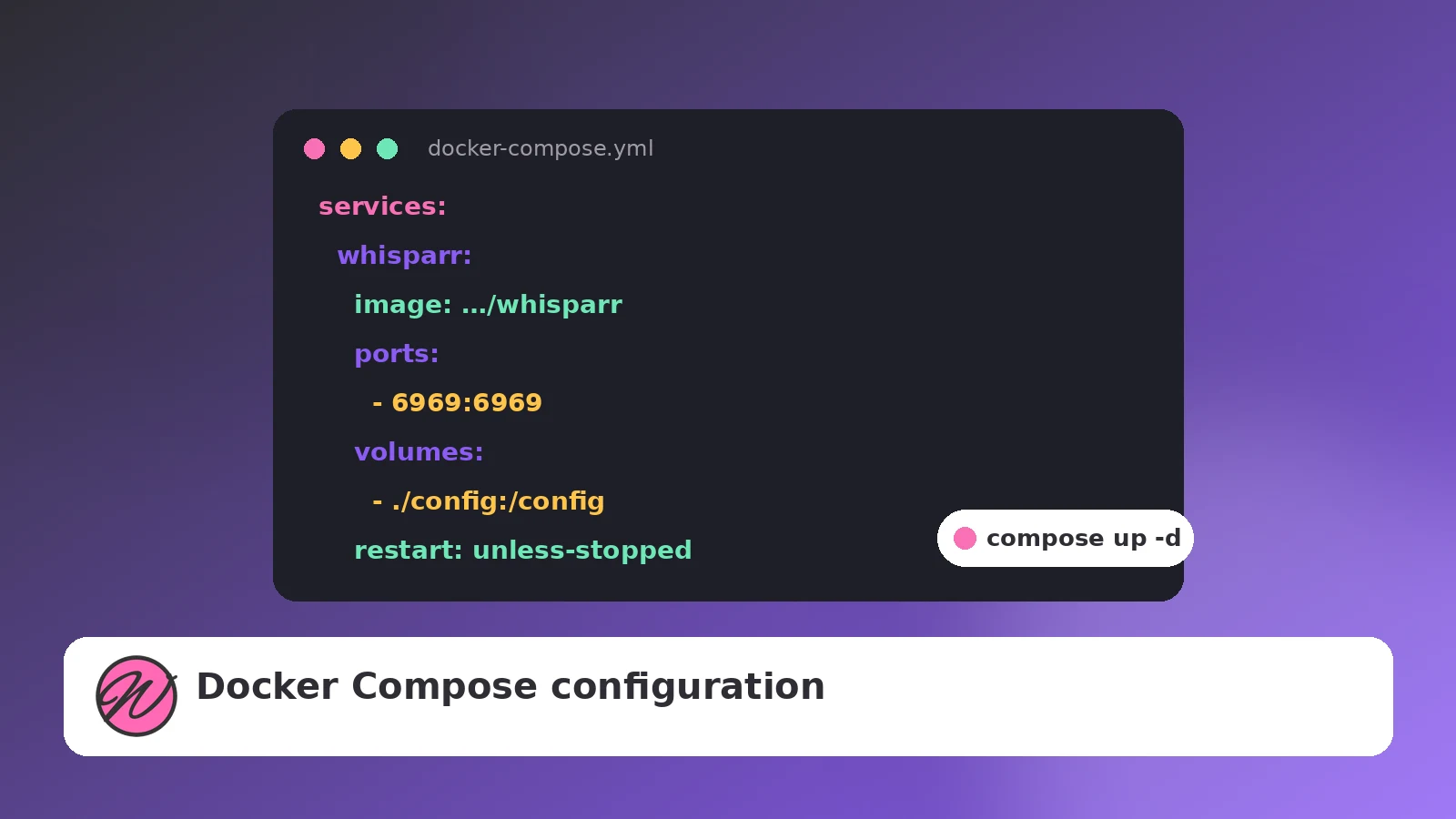
A long docker run command works, but it lives only in your shell history. Docker Compose puts the same configuration into a small YAML file you can version, back up and re-apply with one command. Here is a complete Whisparr docker compose configuration, followed by an explanation of every decision in it.
services:
  whisparr:
    image: <your-chosen-whisparr-image>
    container_name: whisparr
    environment:
      - PUID=1000
      - PGID=1000
      - TZ=Asia/Karachi
    ports:
      - "6969:6969"
    volumes:
      - ./config:/config
      - /data:/data
    restart: unless-stopped
Save it as docker-compose.yml in a folder such as /opt/whisparr, then start it with:
docker compose up -dPin the image tag deliberately. A branch-specific tag keeps you on the Whisparr line you chose (v2 or v3), while a floating tag may jump branches during an update. Naming the container whisparr makes logs and commands predictable: docker logs whisparr.
PUID and PGID control which host user the app runs as. If imports fail with permission errors, a wrong PUID/PGID is the first suspect — the values must match the owner of your data folders. TZ keeps timestamps sane.
The format is host:container. Whisparr's UI listens on 6969 inside the container; the left side is what you type in the browser. Running two instances (for example a v2 and a v3 for testing) just means giving each a different host port.
./config:/config keeps the database next to the compose file, which makes backing up your whole deployment as simple as copying one folder. /data:/data exposes a single parent that contains both downloads and your library — the layout that enables hardlinks. If your paths differ inside vs outside the container, you will hit the classic “download completes but never imports” problem; our troubleshooting guide covers the fix.
unless-stopped restarts the container after crashes and reboots, but respects a manual docker compose stop.
Compose really shines when Whisparr shares a file with Prowlarr and your download client. Put them in one docker-compose.yml and containers can reach each other by service name — inside Whisparr you would add Prowlarr as http://prowlarr:9696 instead of a hard-coded IP. Keep every service's data under the same /data mapping and imports stay instant.
docker compose pull
docker compose up -d
Two commands, zero re-typing. Your ./config volume carries the database across updates. If an update misbehaves, rolling back is just pinning the previous image tag in the file and running up -d again.
Deploy Whisparr as a container in minutes: image choice, volumes, ports and first-run configuration.
Read guide →
A complete Synology walkthrough using Container Manager, from shared folders to a working import.
Read guide →
The post-install settings that decide whether your library stays tidy or turns into churn.
Read guide →